




Select your language

POPULAR

How to easily fasten a bracelet by yourself?
Hurry up to save VHS Tapes and how to watch them?
Pureed Vegetable Soups
test
test 2
If you are going to purchase or rent online, check these before buying
How to easily fasten a bracelet by yourself?

How to easily fasten a bracelet by yourself?

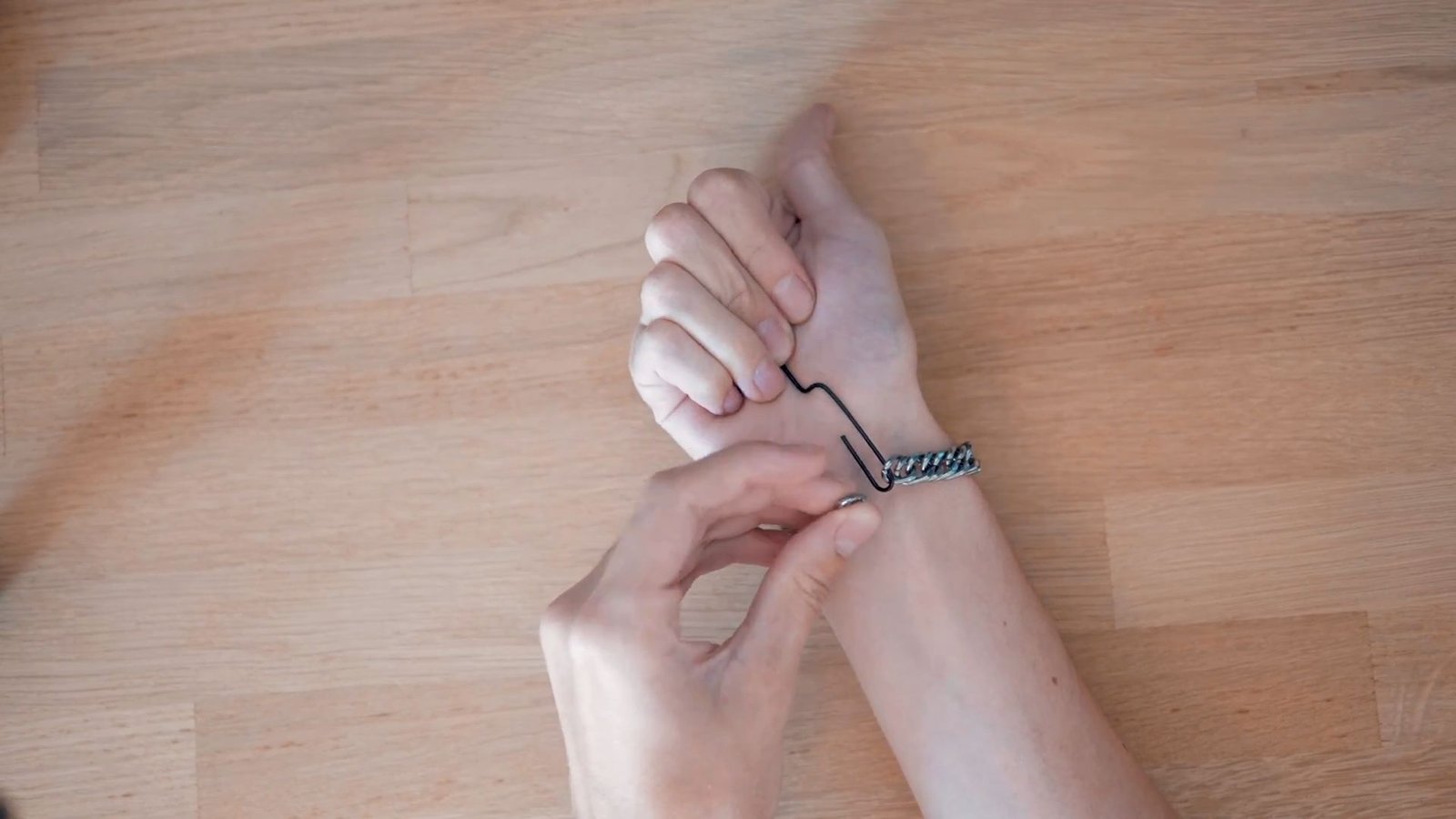
Pull the two halves of a paper clip apart into an S shape, or use a bobby pin as it is. Rest your hand on a table, palm facing up. Hold one end of the clip with a bent finger. Thread one end of the...
Hurry up to save VHS Tapes and how to watch them?

Hurry up to save VHS Tapes and how to watch them?

 1. Get a TV with a built-in VHS player. 2. Buy a videocassette recorder (VCR) or VCR/DVD Combo Player and plug it into your to Smart TV with HDMI. VCRs and VCR/DVD combos are actually...
Pureed Vegetable Soups

Pureed Vegetable Soups

Chop vegetables into the same size. Heat up a soup pot and add oil. Start with onions and some salt. Saute for ≈3 minutes. Add the rest of the ingredients. Remember to salt. Pour enough water or...
If you are going to purchase or rent online, check these before buying

If you are going to purchase or rent online, check these before buying

Check for free if  you can buy safely Online Shopping Checker You can search products with Google Reverse Image Search: See 4. Then you usually get many alternatives but you do the shopping...

You have 0 articles to compare. Do you want to see compare view now?


Compare

Yes, at least in three free ways.

Windows 10- and Mac Computers with Edge browser can read websites which have text. Go to the website you want to read in Microsoft Edge.

Click the Settings button from the top right corner of the Edge browser window. Right-click, and select Open in Immersive Reader (Read Aloud) from the context menu. You can use the keyboard shortcut F9 or press Ctrl + Shift + u on the keyboard. Reader starts to read from the beginning, but you can select the text you want to read by highlighting it.

Position your mouse's cursor at the beginning of the text you want to highlight. Press and hold the left button. While holding the mouse button, drag the cursor to the end of the text and let go of the mouse button.

Desktops can read both English and Finnish but mobile devices don't support Finnish.

You can also download expansions to Google Chrome and Mozilla Firefox. Search in the App Stores with words Text Reader or Text to Speech.

Google Translate, which is on Apuhaku, also reads texts.

750x530px are recommended.

Results 1 - 2 of 2

Banner

We use cookies

We use cookies on our website. Some of them are essential for the operation of the site, while others help us to improve this site and the user experience (tracking cookies). You can decide for yourself whether you want to allow cookies or not. Please note that if you reject them, you may not be able to use all the functionalities of the site.

CookieHint and Consent by reDim GmbH (Opens in a new window)